Full Game + SD Data

Showing posts with label Communication. Show all posts

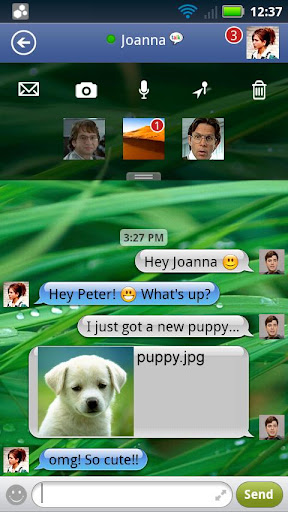
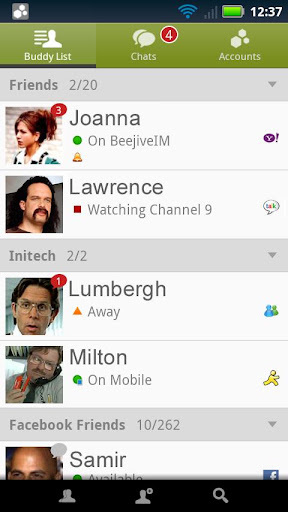
Beejive IM - instant messenger v4.1.2 APK

Saturday, 8 September 2012


Instant message, chat, & IM on AIM, Yahoo, GTalk, MySpace, Jabber, Facebook, MSN!



Beejive IM - instant messenger v4.1.2 play.google.com.beejive.im
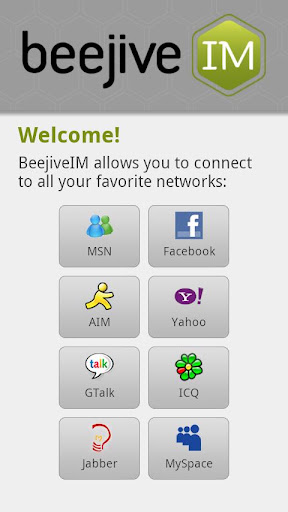
Instant message, chat, & IM on AIM, Yahoo, ICQ, GTalk, MySpace, Jabber, Facebook, MSN (Windows Live Messenger or WLM). BeejiveIM is an IM app that allows you to chat / instant message with all your IM buddies anywhere you go! Chat on AIM, Yahoo, ICQ, GTalk, MySpace, Jabber, Facebook, MSN (Windows Live Messenger or WLM).

Beejive's reliable and efficient networking has been tested and proven on multiple platforms. Move from cellular and wifi connections seamlessly. Stay connected after you close the application and be notified when you get a new message through push notifications (OS 2.2+). After being out of coverage BeejiveIM automatically reconnects and picks up where you left off.

BeejiveIM uses your phone's existing data plan or wifi connection, so you can save money by reducing your text messages.

Key Features:
  • BeejiveIM uses your existing data plan: no per-message charges.
  • Reliable and efficient networking: be connected 24/7, and it's gentle on your battery.
  • Be connected even after you close the application. Get notified instantly when you get a new message with Push Notifications (OS 2.2+).
  • Works with multiple IM networks, multiple accounts per network: AIM®/iChat, MSN®, Yahoo!®, GoogleTalk®, Facebook IM, Jabber, and MySpace IM.
  • Send and receive files, including pictures and voice notes. View and forward received documents.
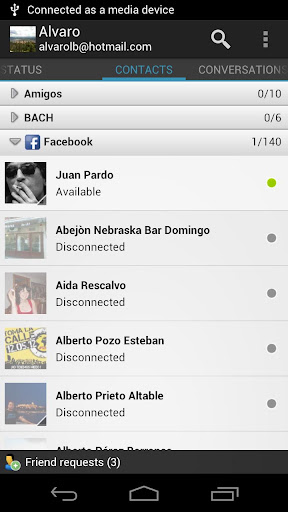
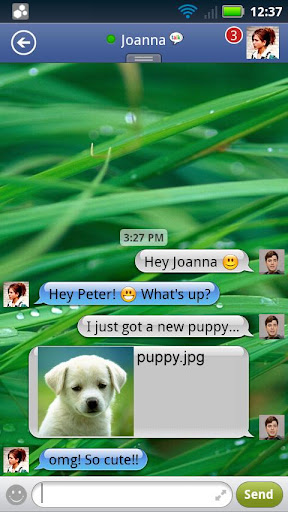
  • Desktop-like instant messaging with all of your IM buddies from a single intuitive user interface.
Chatting Features:
  • Real-time chats: quick switch between multiple simultaneous chats.
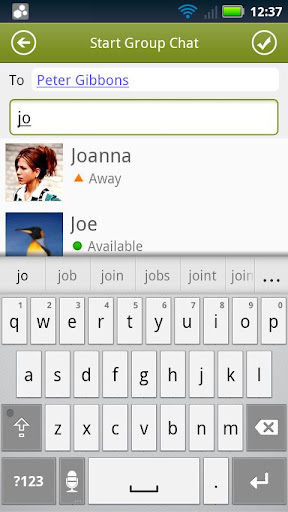
  • Group chats: chat with multiple buddies on AIM, Yahoo, GTalk, or MSN.
  • Full Unicode support, chat in any language supported by your Android device.
  • Landscape option, type with a larger keyboard.
  • Chat history: Email chat logs to save chat history.
  • Hyperlink support, automatically parses links for web pages, YouTube videos, email addresses, twitter usernames, and phone numbers.
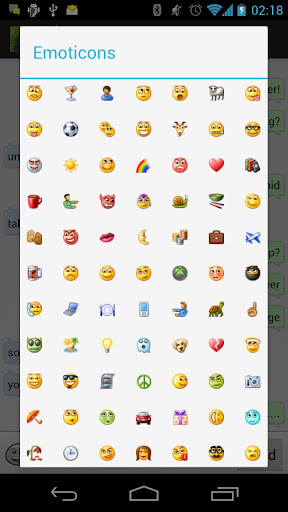
  • Emoticons support.
  • SMS out, chat with your SMS buddies through AIM or Yahoo SMS out.
Account & Buddy Features:
  • Manage your buddy-list, including add/remove, nicknames, groups, block, approve/deny requests.
  • Sort/group/search your buddy list.
  • Control your own availability, set auto-away and custom status messages, be invisible, change privacy ntrols. 
  • Configurable alerts, customizable sound, vibrate settings.
  • Buddy icon support, view your friends' icons, set your own.
What's in this version : (Updated : Sep 8, 2012 )
  • Fixed Facebook login issues
  • various bug fixes & enhancements
  • brand spanking new design!
  • added buddy online alerts (buddy pounce)
  • new SMS style text input in chats
  • added new sound and vibration alerts in settings
  • improved viewing of file transfer files
  •  compact buddy list option
  • ton of bug fixes & stability improvements!
  • Coming soon: tablet interface!
Required Android O/S : 2.1+

Screenshots :


Download : 3.8Mb APK
Download=>; Beejive IM - instant messenger v4.1.2 APK

Call AI v1.0.3 APK

Thursday, 6 September 2012


Call AI – the smartest way to find your favorite contacts anywhere!


Call AI v1.0.3play.google.com.finwe.callai
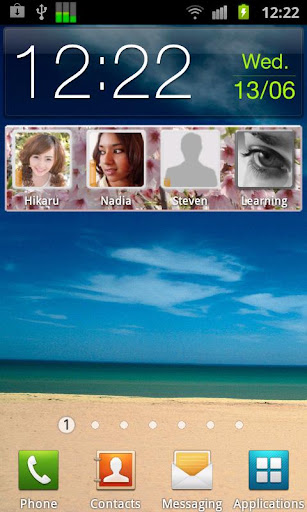
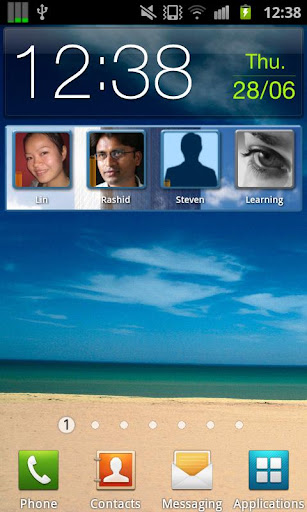
Call AI contains a piece of Artificial Intelligence (AI). Unlike other contact widgets, it learns your most important LOCATIONS and displays the contacts you usually prefer to call in those places (for example, business contacts at the office and friends/family at home).

No configuring, no settings, no GPS needed. The application automatically adapts to your individual ways of use, to provide the ultimate user experience.

How does it work?
After installation, simply add the Call AI widget to the home screen and you're done. Algorithms begin their work immediately, and within the next few days it will learn.

Just keep an eye on the widget, as contacts and background graphic become automatically adapted to your individual use pattern and current location.

What's in this version: (Updated : Sep 4, 2012)
  • Added support for more screen layouts: 4x1, 4x2, 2x2
  • Updated usage of Google licensing system, should prevent faulty "No license" text after installation
  • Welcome screen UI overhaul; instructions for adding the widget; removed unnecessary permissions
Required Android O/S : 2.0+

Screenshots :
 

Download : 1.4Mb APK
Download=>; Call AI v1.0.3 APK

Remote Desktop Client v3.6.0 APK

Wednesday, 5 September 2012


No lugging your laptop around anymore. Connect remotely from Android device !


Remote Desktop Client v3.6.0 play.google.com.rdpclient
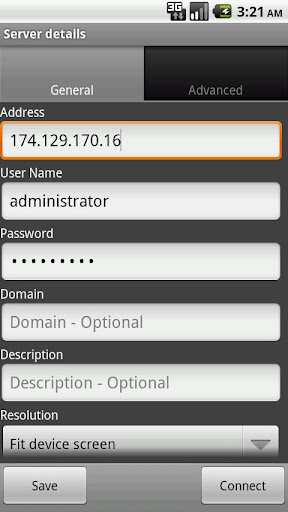
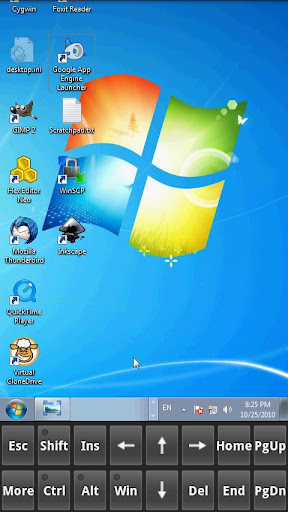
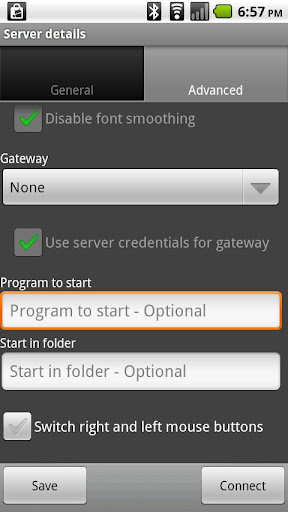
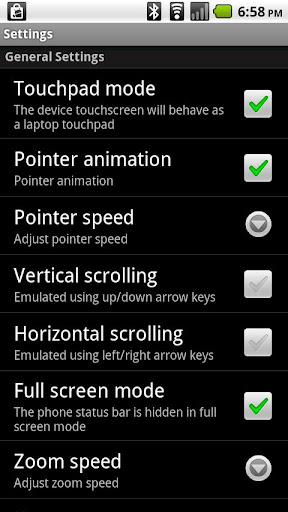
Xtralogic Remote Desktop Client for Android enables you to connect to your Windows computers across the Internet from a mobile device powered by Google Android platform. Once connected, it gives you mouse and keyboard control over your computer while showing you everything that's happening on the screen.

You can leave your computer without losing access to your files, applications, and e-mail. Xtralogic Remote Desktop Client is using Microsoft Remote Desktop Protocol (RDP). All the necessary server components are already part of most versions of the Windows operating system (except Home varieties).

Features : 
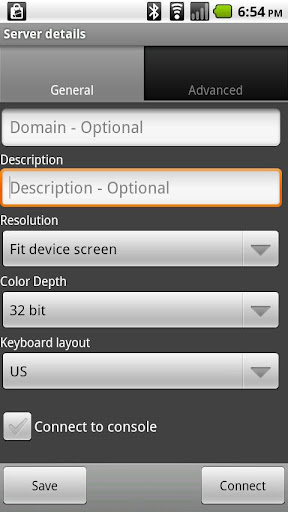
  • 8, 16, 24 and 32 bit color support 
  • Custom screen resolutions, including an option to automatically fit to the device screen 
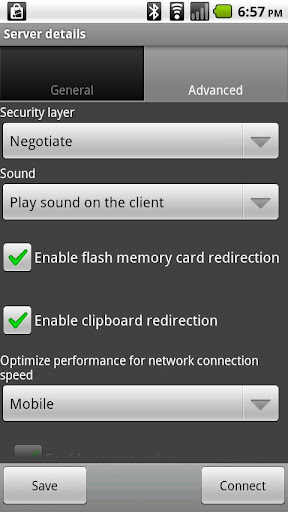
  • SSL security and support for Network Level Authentication (NLA). 
  • Microsoft Remote Desktop Gateway (RD Gateway, a.k.a. TS Gateway) support. 
  • RemoteApp programs support. 
  • On-screen keyboard for keys missing on the device (functional keys, etc.) 
  • Server address book 
  • Master password to secure server password storage 
  • Audio redirection to the client from a remote computer 
  • Microphone redirection from the client to a remote computer 
  • File transfer between SD card and remote computer 
  • Copy/paste text between client and server 
  • Display zoom in/zoom out 
  • Pinch-to-zoom (available on the devices with multi-touch functionality) 
  • The first and only mobile Remote Desktop client with support for Microsoft Remote Assistance 
  • RDP data compression and caching to save bandwidth 
  • Android home screen shortcuts 
  • Support for x86 based Android devices 
  • Automatic activation of a software keyboard in text fields 
The following operating system have Remote Desktop Services and can be connected using Xtralogic Remote Desktop Client without any additional server side software:
  • Windows Server 2000 
  • Windows XP Professional 
  • Windows XP Media Center Edition 
  • Windows Server 2003 
  • Windows Vista Business, Ultimate and Enterprise 
  • Windows Server 2008 
  • Windows 7 Professional, Ultimate and Enterprise 
  • Windows Server 2008R2 
The following operating system do not have Remote Desktop Services out of the box: 
  • Windows XP Home 
  • Windows Vista Home 
  • Windows Vista Home Premium 
  • Windows 7 Starter 
  • Windows 7 Home Premium 
  • Mac OS 
  • Linux 
What's in this version: (Updated : Sep 4, 2012)
  • Added Alt+Shft keyboard shortcut
  • Fixed a problem with the prompt to close session on back key, when it breaks the standard behavior of the back key
  • Fixed a problem when connecting to a load balanced Remote Desktop server farm which is using token redirection
  • Fixed stylus behavior on Galaxy Note with ICS
  • Fixed a crash on master password change
  • Fixed a problem with empty text fields in secondary remote desktop sessions
  • Fixed a problem with text fields shown as black in some applications
Required Android O/S : 1.5+

Screenshots :


Download : 4Mb APK
Download=>; Remote Desktop Client v3.6.0 APK

Talkdroid Messenger v1.0 APK

Monday, 3 September 2012


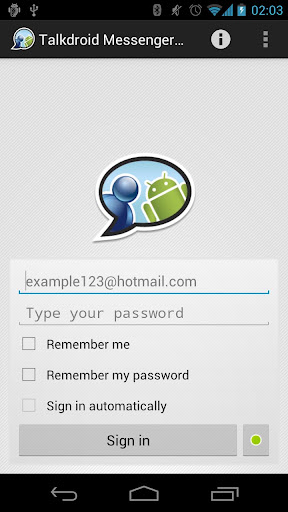
Talkdroid Messenger is a Windows Live Messenger instant messaging client or aka Msn Messenger!


Talkdroid Messenger v1.0play.google.com.talkdroidpro
This is a donate version without ads. Before posting a negative comment, please email me with your problem and i will try to find out a solution. Thanks.
NOTE: MSN and Windows Live are registered trademarks of Microsoft Corporation. This application is not affiliated in any way with Microsoft Corporation.

Features:
  • Multiple points of presence. Stay signed in in your computer and your phone at the same time.
  • Facebook chat integration support. If you have your Facebook account linked with your Windows Live Messenger, you will could see and talk with you Facebook contacts!
  • Email Notification. It notifies when you have new emails in your hotmail inbox.
  • Yahoo contacts support. Now you can see and chat with yahoo contacts.
  • SMS contacts support (only in some regions)
  • Offline messages. Talkdroid automatically retrieves offline messages also at startup.
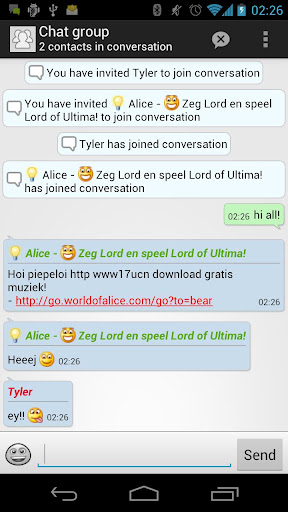
  • Group chat. Press menu button for add a contact in your conversation.
  • Windows Live Messenger 2011 chat icons.
  • Roaming profile sync: lets retrieve and update your live roaming profile like photo, display name and personal message.
  • Swipe among chats.
  • Invisible sign in.
  • Nudges.
  • Chat history.
  • Show if your contacts are connected thought Web Messenger or mobile phone.
  • Support to accept or decline contact invitations.
  • Notify when your contacts go online.
  • Show what your contacts are listening.
What's in this version : (Updated : Sep 1, 2012)
  • At last... File transfer support! now you can send or receive images, videos or any other file
  • Voice clip support!
  • Fixed a problem while accepting contacts invitations
  • Fixed a problem while inserting emoticons
  • Added a confirmation dialog before deleting a contact
  • Some other minor bug fixes 
Required Android O/S : 2.2+

Screenshots :


Download : 1.5Mb APK
Download=>; Talkdroid Messenger v1.0 APK

BIG! caller ID Pro v2.1.7 APK


Beautify your caller ID screen!


BIG! caller ID Pro v2.1.7 play.google.com.screencallerkey
Set a full-screen photo for your friends and enjoy vivid and high definition caller photos.
Connect with Facebook to download friends photos.
Doesn't work with MIUI ROM - they block third party apps of this type.

Features:
  • connect with facebook, and download full-screen photos automatically(and browse albums!),
  • customize caller ID screen content,
  • switch between caller screen Themes, choose click or slider,
  • choose full screen caller ID for all or only a few contacts,
  • full screen caller for incoming calls,
  • full screen caller for outgoing calls.
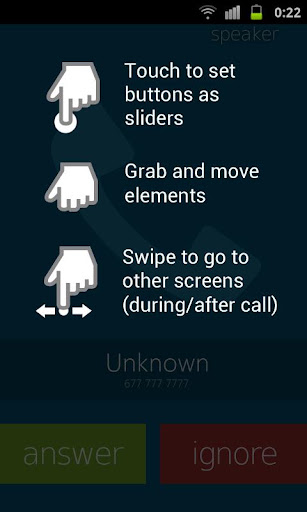
Themes Editor
  1. go to Themes,
  2. select and edit,
  3. move buttons by holding and dragging,
  4. switch to slider with a single click on a button (FIRST you need to drag a button to the edge of the screen)
  5. change default contact photo from the MENU button,
  6. switch to other states of a call by swiping left or right,
  7. reset to default from the MENU button
What's in this version : (Updated : Sep 3, 2012)
  • Facebook bugfix
Required Android O/S : 2.1+

Screenshots :


Download : 1.5 RAR
Download=>; BIG! caller ID Pro v2.1.7 APK

Tablet Talk v1.5.2 APK


Tablet Talk - Text Message on your Tablet using your Phone Number!


Tablet Talk v1.5.2play.google.com.tabtalk
Tablet Talk is THE comprehensive SMS app for tablets. Send and receive text messages on your tablet using your mobile number--just as you do on your phone! Tablet Talk integrates nearly every feature from your phone’s SMS app, while also providing other useful functions such as Caller ID and quick reply popups. It is a “must have” app for a complete tablet experience.

Tablet Talk works by connecting your Android tablet and phone over Bluetooth or WiFi, allowing you to text on your tablet anywhere and anytime. At home? Just connect your tablet and phone to your WiFi network. At work or on the road? Switch to Bluetooth mode and your tablet can SMS without an internet connection.

When you receive a text, it instantly syncs to your tablet. When you send a text from your tablet, it instantly syncs to your phone, where it is sent using your mobile number. Even status updates for sent SMS sync instantly to your tablet.

But what about when you don’t have your tablet? Whenever you connect your devices, Tablet Talk will automatically sync any newly sent and received texts to your tablet, ensuring your tablet’s inbox is always up to date!

INSTRUCTIONS:
Install Tablet Talk on both your tablet and phone (you only need to purchase the app ONCE). Setup is very simple, with detailed instructions, troubleshooting, and email support all available from within the app. After initial setup, connecting is as easy as pressing a button. Unless your phone’s IP address (WiFi) changes or you change phones (Bluetooth), there is no need to run setup again. WiFi and Bluetooth settings are saved separately so switching between them is seamless. And options like auto-reconnect reduce the need to interact with your phone while using the tablet.

Features:
  • Quick reply popup windows: just like your favorite phone SMS app, quickly reply to messages without exiting what you’re doing!
  • Caller ID popup notifications
  • Fully functional SMS notifications
  • Automatically syncs contact names & photos from your Gmail account
  • Widget for one-click connect/disconnect
  • Customize ringtone & vibrate for SMS and Caller ID separately
  • Share websites, locations, links, & more using Android’s built in “Share” option
  • Emoticons :-)
What's in this version : (Updated : Sep 3, 2012)
  • Improved Wifi performance.
  • Fix duplicate sent messages.
  • Changed missed call icon.
  • Small fixes.
    Required Android O/S : 2.1+

    Screenshots :


    Download : 600Kb APK
    Download=>; Tablet Talk v1.5.2 APK

    Full Screen Caller ID PRO v9.2.6 APK

    Saturday, 1 September 2012


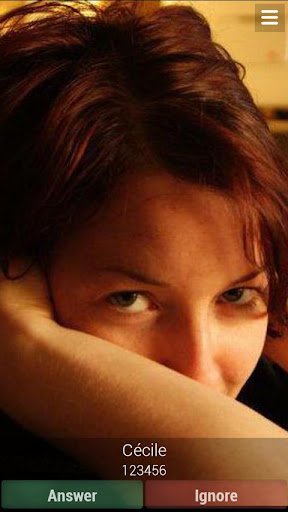
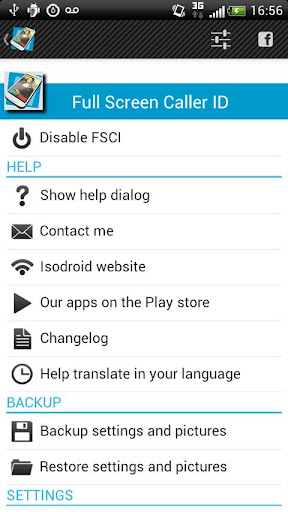
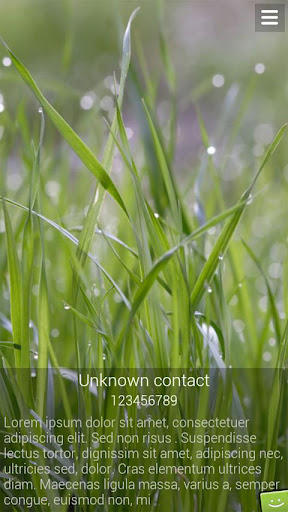
    Full Screen Caller ID shows a full screen image of the person who is calling you!


    Full Screen Caller ID PRO v9.2.5 play.google.com.fsci
    The Full Screen Caller ID is a replacement caller screen for your Android Device.
    Using this program you can customize the way your phone notifies you upon incoming & outgoing calls, sms, emails and missed calls.

    Basic Features
    • Full screen notification for incoming calls
    • Full screen notification for outgoing calls
    • Full screen notification for missed calls
    • Full screen notification for incoming SMS
    • All buttons and texts are customizable
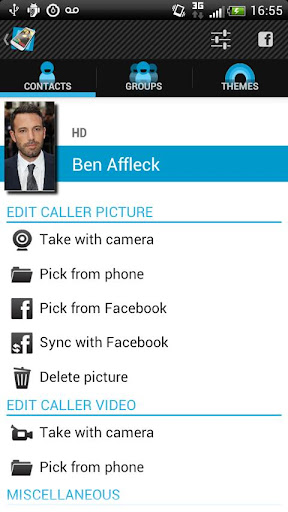
    • Use pictures from sd card, internal camera or facebook
    • Customize caller design : pick colors, text size of the notifications
    • Text-to-speech : the full screen caller id can read out loud your incoming calls, sms and mails
    • Facebook integration : pick pictures from facebook or link your contacts with your facebook friends to update all profil pictures with one click
    Advanced Features:
    • Android integration : share pictures from any Android application to set pictures for your contacts
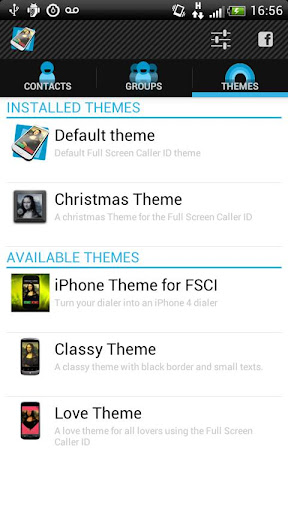
    • Theme support 
    • Answer by buttons : no more slider to move to pick up the phone
    • Answer by sliding the screen.
    • Landscape support : high resolutions pictures can be set for both portrait and landscape mode. 
    • Backup and restore all settings and pictures.
    • Video caller Id (beta)
    • Block annoying contacts
    How to use
    • Please check the youtube video to learn how to use the software. 
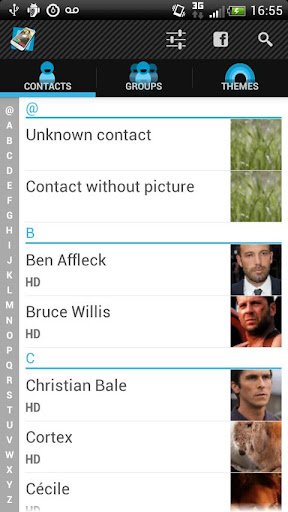
    • Full Screen Caller ID will work instantly once installed but you have to assign HD pictures to your contacts to avoid full screen blurry pictures. HD pictures must be assigned from the Full Screen Caller ID menu, not from the stock Android contact application.
    What's in this version:Version: (Updated : Sep 1, 2012)
    • FIX : better SMS handling to prevent displaying wrong contact when receiving multipart SMS
    • FIX : grayed answer button after click to prevent double click on the answer that would cause hang up
    • FIX : fix TTS to speak customizable strings
    • FIX : fix TTS to speak "unknown contact" for missed calls
    • FIX : force close when tapping screen if there is no feature bar
    • FIX : force close on introduction activity when there is no ringtone set
    • NEW : view introduction video from preference screen
    Required Android O/S : 2.1+

    Screenshots :


    Download : 1.7Mb APK
    Download=>; Full Screen Caller ID PRO v9.2.6 APK


    INDEX